Thursday, March 21, 2013

Any ideas on Slow Android Update?


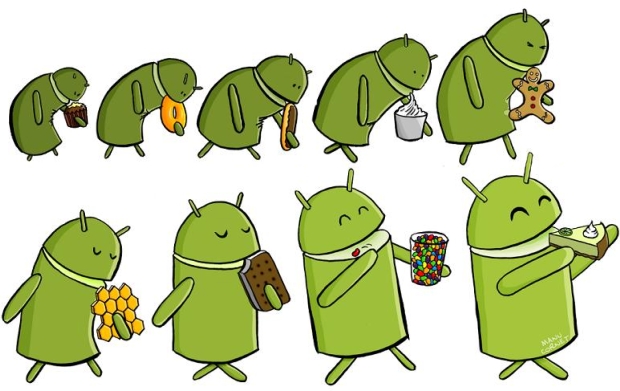
android version history

Have you ever complain that your Android phone is stilling running on Android 2.3.6 or under and can't get an timely update even if Android 5.0 is coming.Even the new flagship model didn't run the latest Android OS.As for this,we can't reach the new features that the new Android OS bring us.

Did you figure out some reasons why?This problem has lasted for long.Why can't Android phones get update like iPhone since the new OS comes out at the first time.Actually,it is caused by the complex relationship among Android phone makers,Telecommunicaton Service Providers and Google.

Pretty troublesome for the Android makers to deliver update?

When Google released a new Android OS version,Android phone makers need three steps to push update for your Android.Chip makers have to provide new codes which allow the connection of Android OS and hardware as to control it.Different Android phones are equipped with different Chips(like Qualcomm,Samsung,Nvida,Texas etc). And each Chip maker gets its own series and models, which lead to a lot work for the Chip makers in code stuff.In general situation, it takes about 1-2 months for the Chip makers to finish code preparation.

Second,as for customized Android phone or tablets, the Android phone makers will make some differences when the basic system software is on hand.For example,Samsung needs to develop the Touch wiz UI(user interface) for users.What's more,every phone type meets different system requirements,like built-in special gestures or plant exclusive apps, which takes a lot work. As Nick DiCarlo from Samsung said it would take about 6-8 weeks  to optimize the new Android OS.

Android test
That's why the third Android interface always fall behind the official Android OS.For they do a lot job to make Android interface more gorgeous as compared with Nexus series which run on official Android OS.Drew Bamford from HTC said,one HTC can't work if it runs the official Android OS.It takes a lot time even if they don't customize UI during the develop work.

customized android interface

Carrier operator take responsibility for this?

Carrier operator plays an important role before an Android phone faces the market.Except for they have to test Contract phone,they also need to maker sure every phone meet its net requirement.As for manpower,time, equipment limitation, they need to test how phones work under GSM、CDMA、LTE 4G or mixed net environment. Another reason is that contract phones get prior rights to be tested first for most of them get 2 yeas contract.And new Android phones are more popular,so old types have to wait for the test.

Why Apple deliver its new iOS so fast? Apple itself is the iOS and hardware maker,which saves a lot time on iOS Deliver.Apple gets absolute control on iOS. So it can always give a fast iOS update to users.This is also the reason why Google Nexus series get latest Android OS update.

How can we Android users get a fast update?

There are two ways for this:1 Android phone models should be reduced.This sounds crazy,but HTC and Motorola are doing this.There are quite a lot Android devices in the market, good and bad.It's difficult for the consumers to pick up one when face those.If HTC and Motorola are doing good on this, it will save a lot time to make proper number of excellent products and put extra effort on update support.This is a virtuous cycle.

Android update method

For the first method,consumers need to wait.So the second way is the faster way to get a update.As we know,almost all Android phones can be rooted.One advantage for this is that you can update the latest official Android update which means you will skip the Android phone maker customize procedure.But the risk is that Trojan virus software may be contained in the ROM. So you should find a reliable ROM source to avoid messed third interface's affection.

Both two ways may not look so perfect,but that what we can handle with Android update now.We wish there will be a better solution for this in the near future.

Wednesday, March 20, 2013

How to Back Up Your Contacts From Android Phone?

Android back up contacts

You will never want to loose contacts in your Android phone.But we don't know what will happen next monent. May be your Android phone get stolen,run into malware,drop into the water etc.All this can lead to contacts loose.For me,it's a great jop to pick up those contacts again.In case for this, we should back up contacts.Now,I would like to share 3 ways on how to back up contacts for Android phone.


1 Back up with Google Contacts
This method is easy but need some of your time.You have to input contact one by one.Sign in your Gmail account and open this page, you will find"New Contact".Click it and input the forms.After finish these,you can download Gmail for Android.Then you will be able to view your filled contact both on mobile or PC.

Back up Android contacts with Gmail

2 The built-in back up features
Android phone itself gets the built-in back up features.Open your contact and press the menu button,then select "More" option from the list of Menu items.As for different Android OS, it may differ in options.Among the options listed,choose the Import/Export option to proceed.

After choose Import/Export option,you can choose to export to either SIM card or to SD card.If you choose to transfer your contacts to SD card,the contacts will save in the vcf file.As how to open vcf file for details, you can click here for how.You don't need any third party tools to open it,just by windows.

3 Back up with the third party tool
Moborobo is a suit tool to manage smartphones, which you can use to back up your data like the pic below. Slide to "data" and you will see the "contact manager".It shows your contacts, which you can "add" or "import&export".It quite convenient to back up your contacts in one click. What's more,you can also download large number of apps,images,music,videos,themes here.By the way,it;s a freeware and it may take several minutes to set up.

back up Android contacts software

Tuesday, March 19, 2013

Angry Birds First Cartoon《Chuck Time》is Coming

Angry chuck birds
For the end of last month,Rivo announced it would make cartoon series for the popular Angry birds games.These cartoon videos would be available on Android/iOS on March 17.That's could be a piece of great news for Angry birds fan.For those who don't touch this game,it can also be a good choice to touch angry birds from the cartoon.Most people, especially the young people will love it as for its funny and relax style.

And by the weekend, we did see the first episode of Angry birds.You can open your Angry birds app on your phone,find and click the "cartoon" button,then you will see the Angry Birds Toons channel.There are 3 videos totally. One is about Behind-the-scenes video,another is about character introduction of《Meet the Flock》,the last one is the first episode《Chuck Time》of《Angry Birds Toons》.

《Chuck Time》tells a story like this:The bird chunk slows down in a cool way to save the red bird which fell of a cliff as for helping the chunk.Although made in short time and only last for about several minutes,this cartoon video is made with heart with brilliant quality.So,guys who don't know this stuff yet,spare some time to check for short interesting cartoon. And as Rivo said it will released one episode once a week.We are looking forward it.


The Croods free download
The Croods


Beside the《Chuck Time》,Rivo also released a new game.This time it is not another version of Angry birds.In the new game《The Croods》,the main character cavemen are walking out of the stone age with their wisdom. The Croods will conquer the creatures along the way they march to take position of rich landscape.So you have to help the croods go through this.The plot is somewhat like early human history.So not only art comes from life, so do some games.

Monday, March 18, 2013

How to Get Paid Android Apps For Free?

Android apps free
For Android users, you may go to visit Google Play Store everyday to check the latest and popular apps or check for the update.I know it has been an unconscious habit for may people to do this.
There are thousand of free apps at Google Play Store,but some of they are just limited edition,you can't get full features or functions.And you don't know when is the limited-time offer.If you want to save money on this,there is an app can help you.

Android apps phone

This app named Get Free Apps."Get Free Apps" features paid apps that you can download for Free from the Google Play Store. When you run into a paid one,you have to still pay for it up front, but they will refund you the purchase price via Paypal. So in other words, it’s a rebate. Your “refund” will hit your Paypal account within 20 minutes of purchasing the app in Google Play.

This app is simple and easy to use.As you open it,you can see the Current tab visible along with the app of the day. Then go to the Next tab, it shows the apps that will be coming soon. For the Settings area, you need to agree to the terms and to enter your Paypal email address. Someone may worry about the security problem as we know Android gets this trouble. Actually it is used to receive payments. So there is no worry, you don’t need to provide a password or something else like that.

                                         Get Free Apps

Go back to "current" tab, you can see the price and "download for free" words, and also the numbers which show how many people seize this deal.if this app is your cup of tea, simply click "download for free" and process the purchase as you shop on Amazon.shortly,you will get a message saying that it has been added to your queue and to proceed to the Play Store to make your purchase.After this,you need to go back to the app, it will ask you whether you made the purchase,then click “yes” and you will receive a full refund of the purchased price in your Paypal account as well as a notification that it took place.

So are you interested in this app,now follow the introductions to give a try.You can follow the specific steps below:

1 Slide to “Settings” tab and  type your PayPal email,don't forget to save changes
2 Press the “Download” button if the current app interests you. It links to the Google Play Store official’s app page
3 Purchase the promoted app with your Google Wallet account. You pay $2, for instance
4 As the system needs to verify your purchase, you have to wait for 20 minutes.Keep in mind that do not uninstall or force Get Free Apps to close meanwhile, and do not disable push notifications!
5 You will receive a notification when the refund is made. Do as instruction, you get your purchase price back.

Anyway,I am wondering what's the profit of this app developer. Leave it alone,this app is worthy trying. If you got something to say,leave any comment here.

Download by Click Google Play or Scan  QR Code
   

Thursday, March 14, 2013

Top 5 News Reader Replacements As Google Reader is Closing Down

As Google Official blog announced Google Reader will not be available after June 1,2013.For Google Readers, they get last 3 moths to use this Google product and keep their data.As for the reason, Google explained that:

There are two simple reasons for this: usage of Google Reader has declined, and as a company we’re pouring all of our energy into fewer products. We think that kind of focus will make for a better user experience.Since Google Reader is going,we have find replacement for it.

1 Feedly
Feedly gets feature that: articles your read in feedly are automatically marked as read in Google Reader. Articles you save for later in feedly are automatically starred in Google Reader. RSS feeds you add to feedly are automatically added to Google Reader.But since Google Reader is closing down, this feature will be useless.

You can use Feedly subscribe the content of your favorite sites, rss feeds, tumblr blogs and YouTube channels. Or if you are sure it doesn't provide the content you want, you can just search here. If you run feedly on your Phone,it will automatically sync data in your tablet.If you find something interesting or meaningful, you can share content on twitter, Facebook and Google + directly.


2 Taptu - DJ Your News
You can add your favorite web sites, blogs and social networks in Taptu. There is no need to register a new account for this, you can use your Facebook, Twitter, Linkedin or Google to log in and sync all the streams and stories that you read on multiple devices and taptu.com on your desktop.One distinguished feature is that a number of highly customizable widgets including Lists, Cards and Stacks, scrollable widgets from Android 3.0 with custom update times and multiple backgrounds.


3 Pulse News
Except for the common point that you can subscribe your favored news,Pulse get Highlights function,Pulse Highlights point out the stories you care about, and it’s powered by the people you care about. Access to Highlights feed by tapping ‘Highlights’ at the top of the left navigation bar. You’ll see stories shared by your friends, and you can add your own by tapping the blue Highlights icon at the bottom of any article.

if you want to download some articles to read on bus on the way to office tomorrow,Pulse did considered this for user.You can load stories when internet connected,then it will be available wherever you are even if you are offline.


4 Google Currents
You can read news,blog in this beautiful magazine-like editions app.For it's Publisher editions,you can read full length, in-depth articles, videos, fine photography, and slideshows from Publishers such as Forbes, The Guardian, TechCrunch, PBS, Saveur, and more.
As for the search advantage,you can use Google search technology to find the hottest breaking stories in categories such as world, entertainment, sports, science, and more. As you travel to different countries, additional breaking stories are added to match your location.If you want to read foreign article,the Google translate technology can help you translate editions into a preferred language of your choice. 44 languages are supported.


5 Flipboard
Flipboard brings world news and social news together,it's easy to catch up with what you care about.You can search people, topics, hashtags, blogs, your favorite sites—and flip through articles, updates, photos and videos in a beautiful magazine format.It connects to current popular Flipboard to up to 12 social networks, streamlining your reading and activities like commenting, liking and sharing. Services include Twitter, Facebook, Instagram, Google+, YouTube, Google Reader, LinkedIn, Flickr, 500px, Sina Weibo and Renren.And Flipboard gets 15 localized editions—for Australia, Brazil, Canada, China, France, Germany, Hong Kong, Italy, Japan, Korea, Netherlands, Spain, Taiwan, U.S. and U.K..


All these 5 news reader apps get one in common:you can subscribe diverse news or magazines for free.And each one get their unique design.Since Google reader is far away from us,it's time now to pick up one what favor your reading habit.


Tuesday, March 12, 2013

Unique Chance to Get 700 Marvel comics on Android device for Free

Great News for comic fans. Marvel, which is the famous comic company made 5000 well-known characters is providing readers 700 free Marvel comics.It will start from 4AM 13 March GMT.Before that,you have to pay some dollars for this stuff.So make sure you get to download that day, there is no idea when it will stop this promotion.


The free content contains:The very early characters of Spider-Man, The Fantastic Four, Wolverine, Captain America, and many other more.You can also choose a web browser to view these Marvel Now issues from the past several months and comics.But as for huge volumes of traffic,you may have to wait.

Marvel announced the promotion at SXSW (South By Southwest)(the largest music festival in the world) in Austin, Texas as well as its new subscription service, Marvel Unlimited.With this service, you can access to over 13,000 comics for $9.99 per month and is currently only available on IOS or an Android app coming soon. What makes Comixology different from Marvel Unlimited is that comics don’t hit the app until six months after publication, and you have to pay so much per comic.
Avengers Assemble
Superior Spider-Man
The Fantastic Four
Captain America
Wolverine

Excited about these comics?As for how to get the comic,you can search "Marvel Comics" or click here below to download.After you download the application, there are tips for you to know which can be downloaded.

Monday, March 11, 2013

How to Transfer Data From iOS to Android Easily


In the Android market,we get quite a lot Android handset choices.No matter for price,shape,design,configuration etc, this make consumers fell dazzled,you have to take some time to pick up which one is your favor.Some phone makers are also figuring out ways to make their cellphone more popular.Like Sony,it developed a transfer app to grab the iPhone users.

Specifically,you can transfer all your iPhone data into Sony Xperia smartphone with Xperia Transfer app,like contacts, photos, videos, messages, etc.If you are an iPhone user and want to switch to Sony Xperia,this saves a lot trouble.I know some people are not willing to go for another smartphone platform as for the data transfer trouble.
iPhone to Xperia

Before you use this app, please keep in mind that only the following phone types work:

Xperia™ Transfer supports the following Sony devices: Xperia™ V (LT25), Xperia™ VC, Xperia™ TX (LT29), Xperia™ T (LT30), Xperia™ TL (LT30), Xperia™ T (LT30), Xperia™ Z, Xperia™ ZL, Xperia™ ZQ.

As for other Sony phone type,it didn't give related information
Download link:http://www.sonymobile.com/global-en/tools/pc-companion/
Here is the video on how to use Sony Xperia Transfer app:


As we know it's troublesome to transfer data from iTunes or idevice.Actually there are lot third party tools like Leawo iTransfer can transfer videos and audios among iPod, iPhone, iPad, iTunes and PC.Anyone who is interested in that can have a try.